
Creating an account is completely free. No credit card is required.
1
Visit geofencing.pro
Open your browser and go to geofencing.pro. On the homepage, click the “Get Started” button.

2
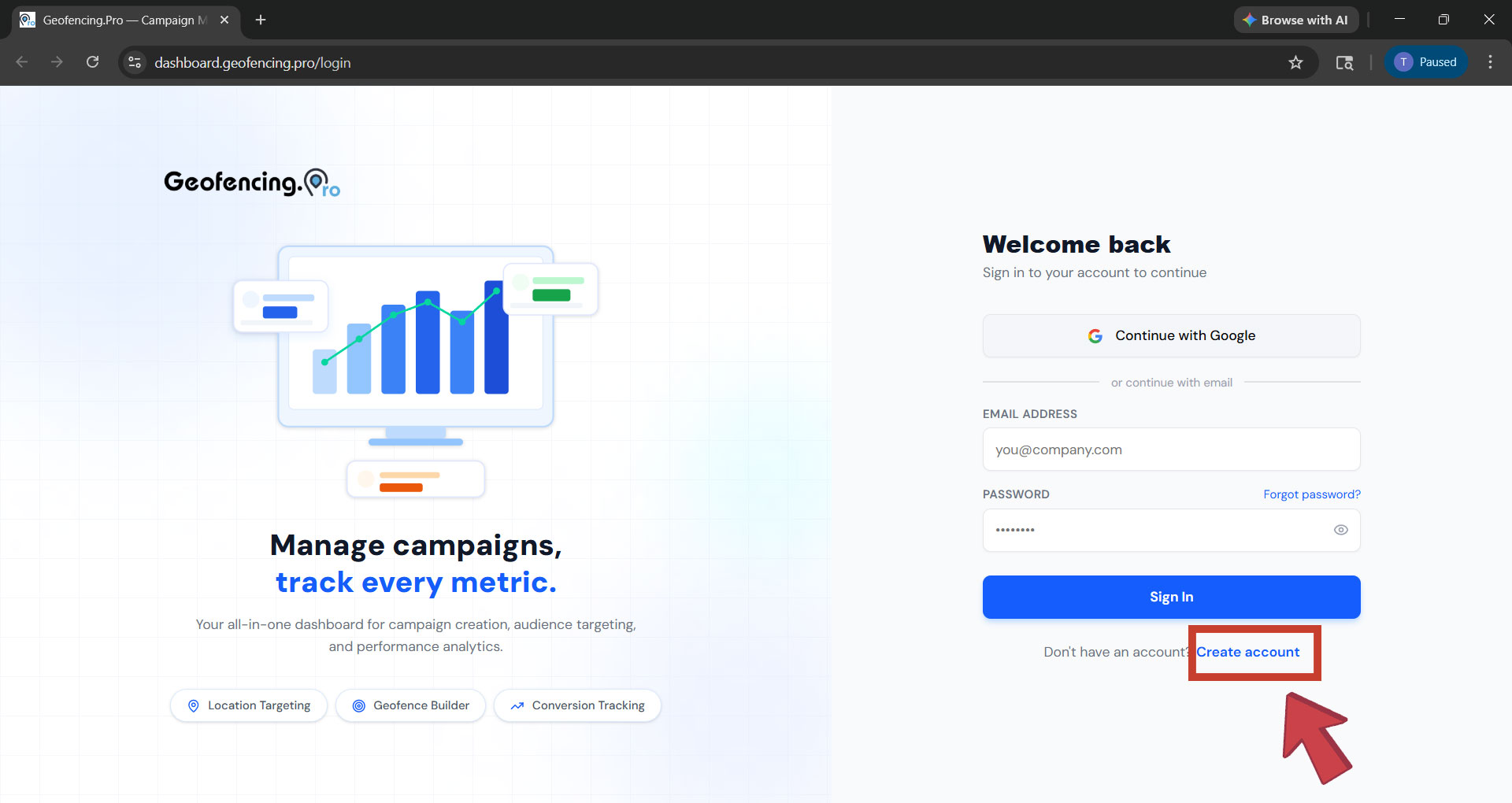
You will be redirected to the dashboard
Clicking Get Started will open dashboard.geofencing.pro in a new window. You will land on the login screen. Since you don't have an account yet, click “Create New Account”.
3
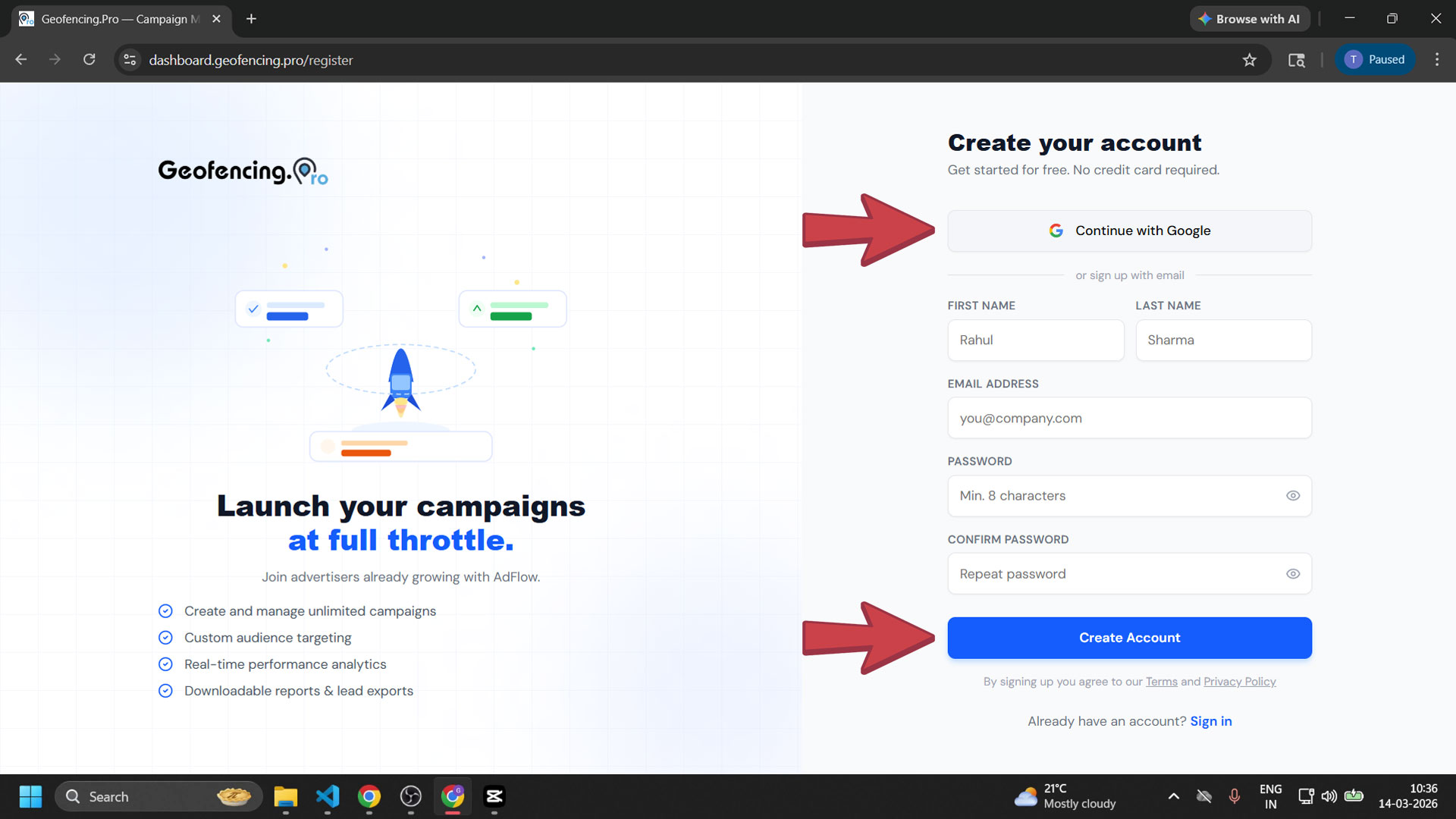
Choose how to sign up
You will see two options:
- Continue with Google — the fastest way to create your account with a single click.
- Manual sign-up — fill in the form with your details (see next step).
4
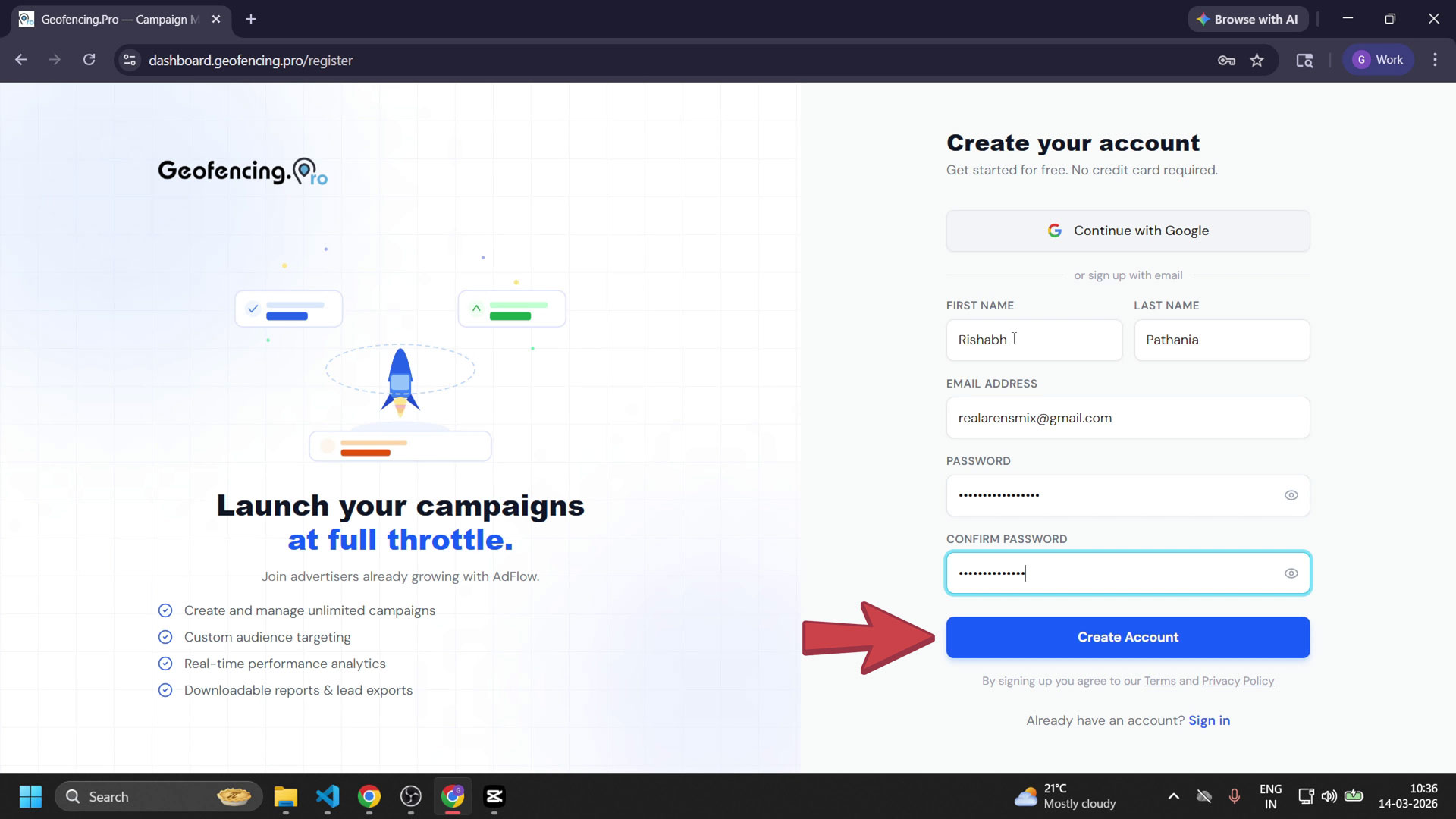
Fill in the sign-up form
If signing up manually, complete all fields in the form:
- First Name
- Last Name
- Email Address
- Password
- Confirm Password — re-enter the same password
5
Enter the email verification code
An 8-digit verification code will be sent to your email address. Copy the code from your inbox and paste it into the verification screen on the dashboard, then submit.
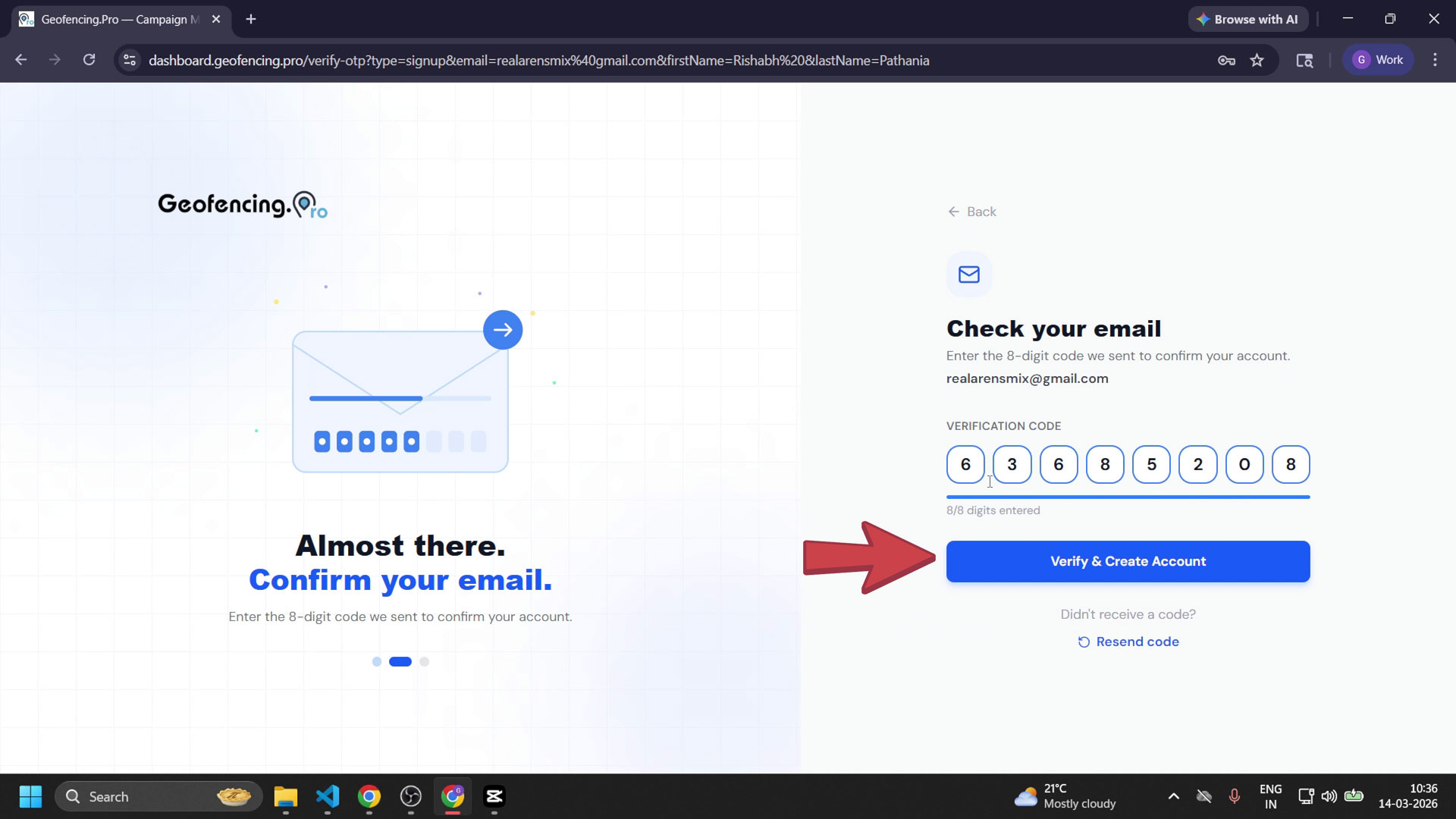
💡Note: Check your spam or junk folder if the email doesn't arrive within a few minutes.
6
Account created — sign in to verify
Your Geofencing.pro account is now successfully created. You can sign out and sign back in to confirm everything is working, then start creating your first geofencing campaign.
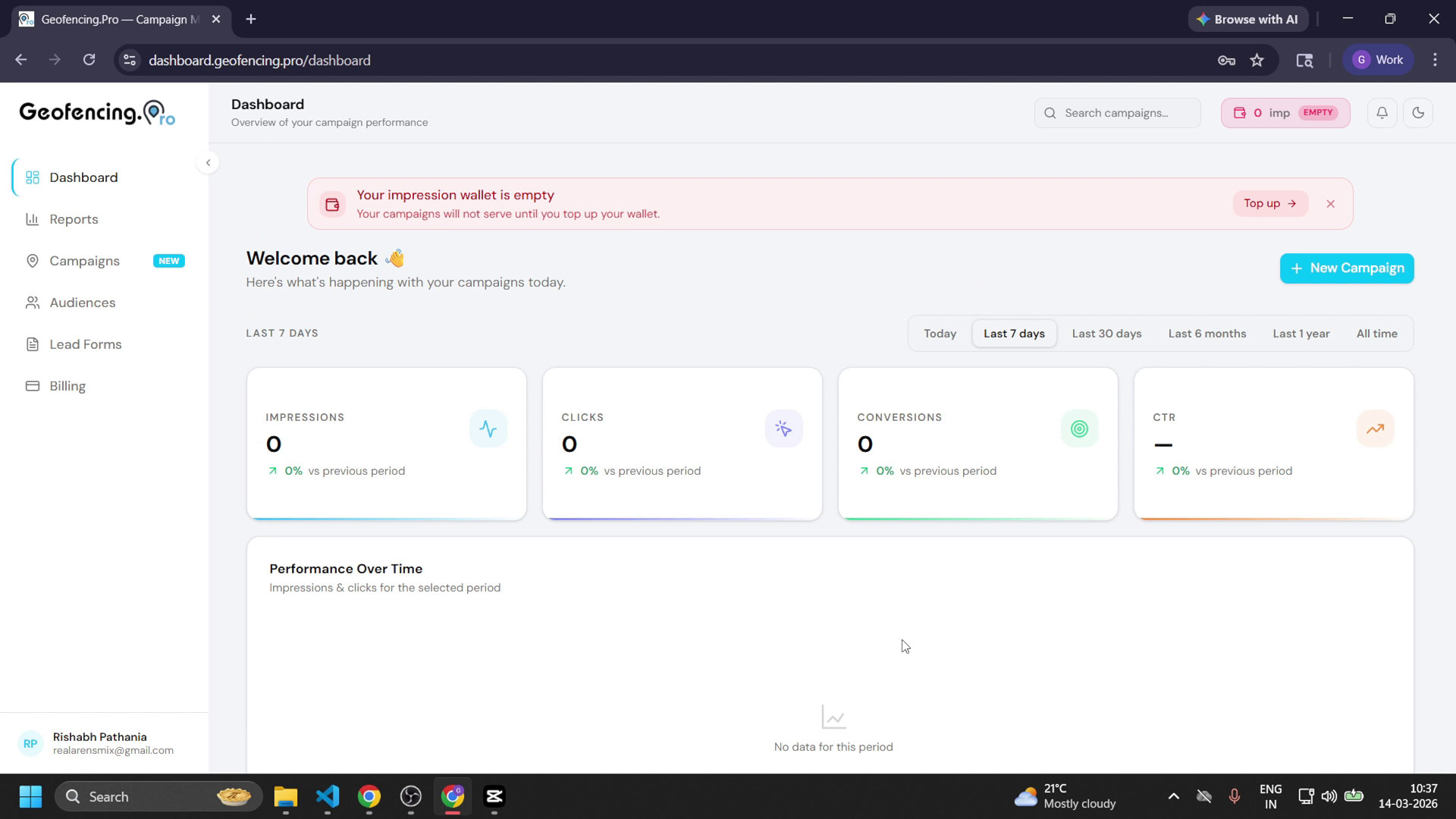
Your free account is ready! Head to Campaigns in the sidebar to launch your first geofencing campaign.