Invoices are available approximately 24 hours after a transaction is completed.
1
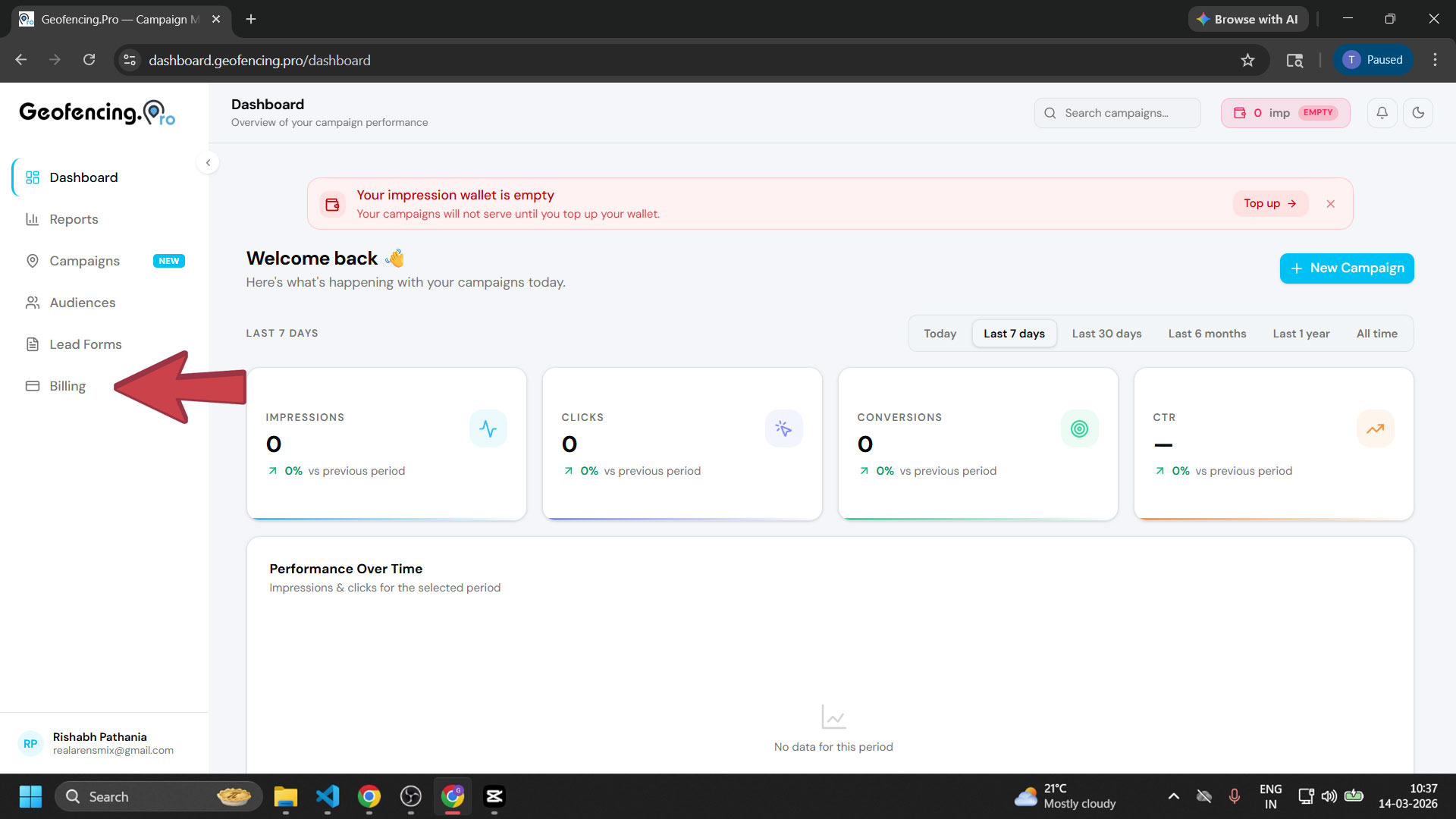
Open the Billing section
From your dashboard, click Billing in the left sidebar.
2
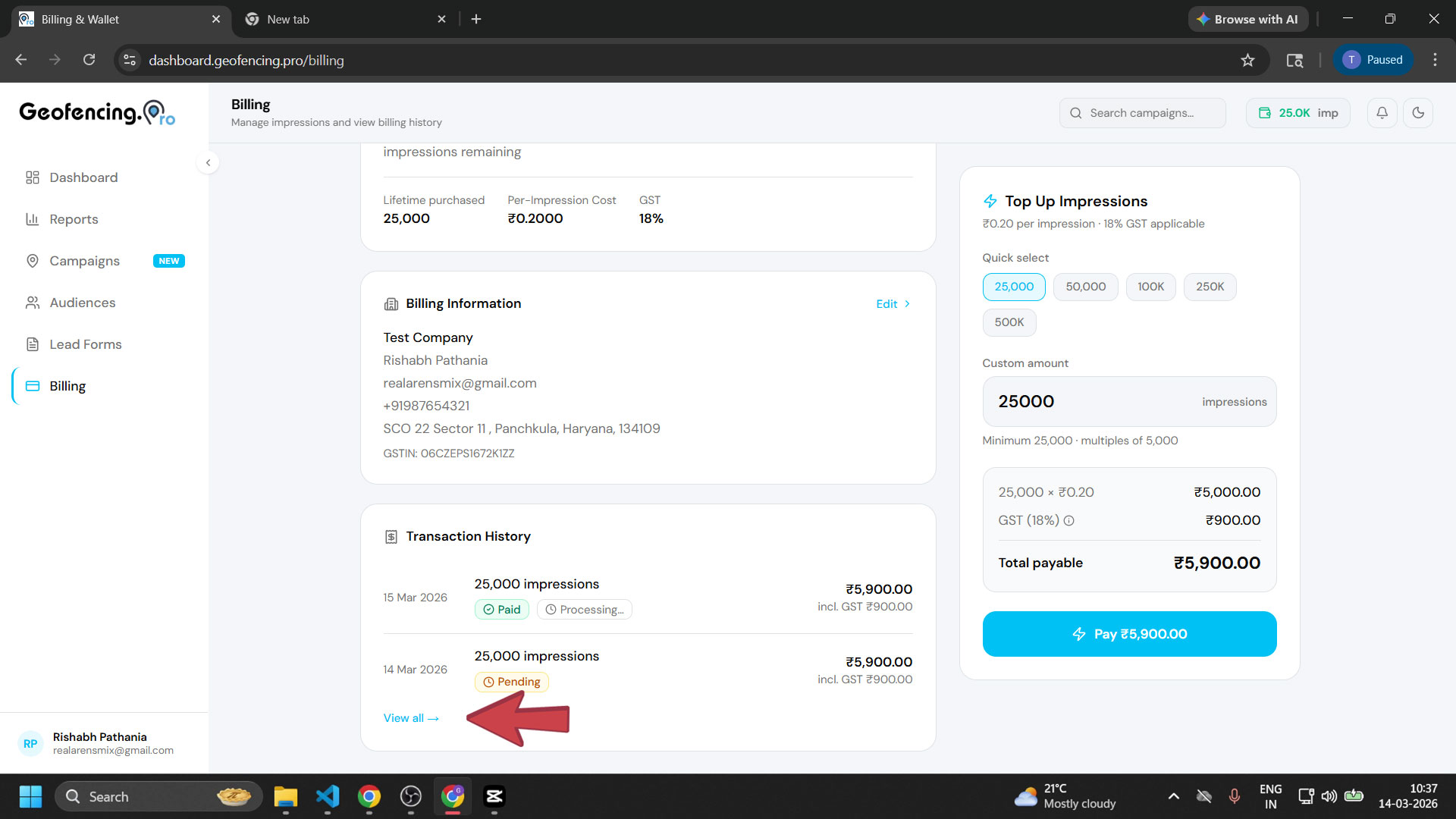
Scroll down and view transaction history
Scroll down on the Billing page to see a preview of your recent transactions. To view the complete transaction history, click the View All button.
3
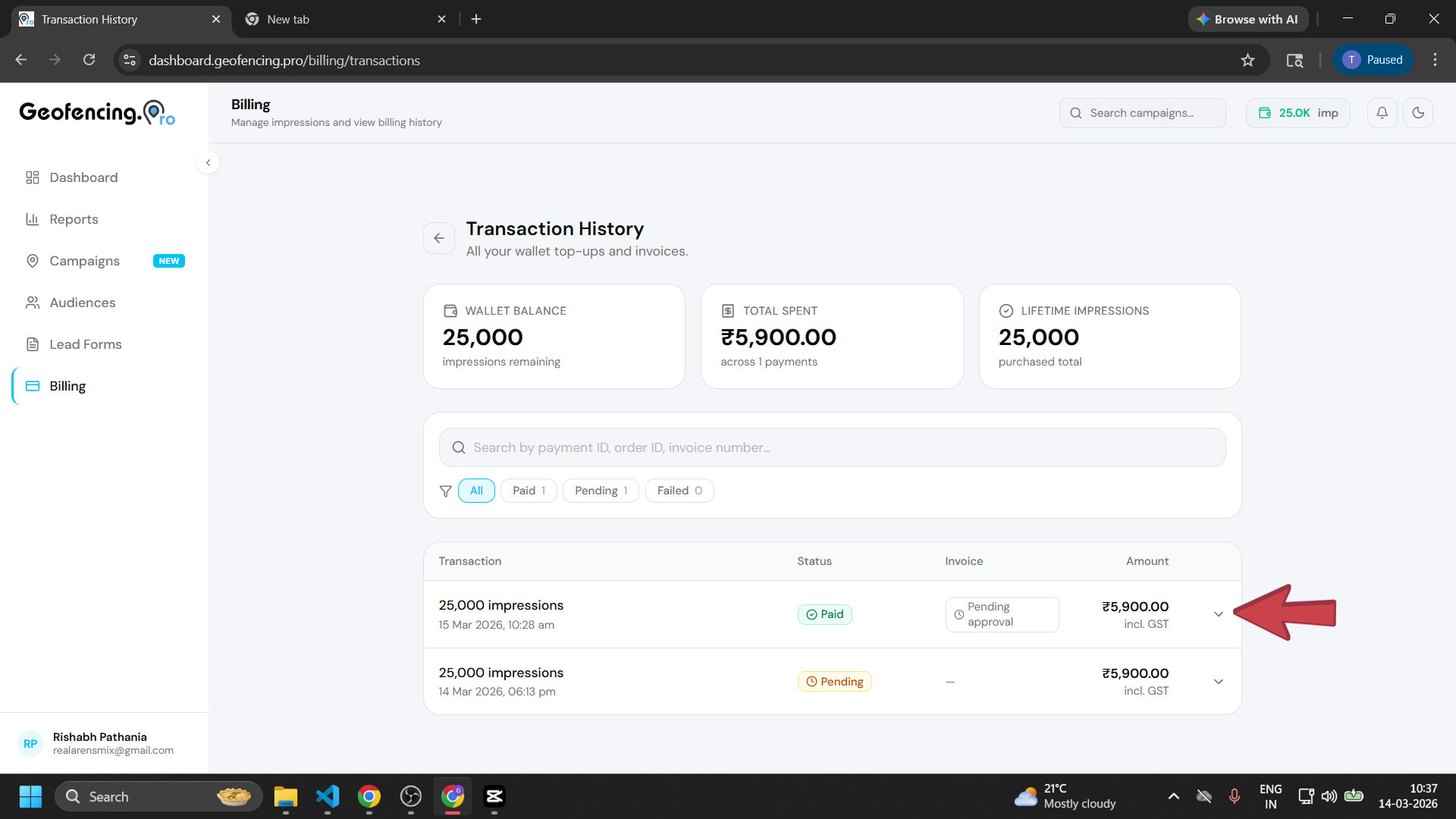
Expand a paid transaction
In the transaction list, find a paid transaction and click the dropdown icon next to it to expand and view the transaction details.
4
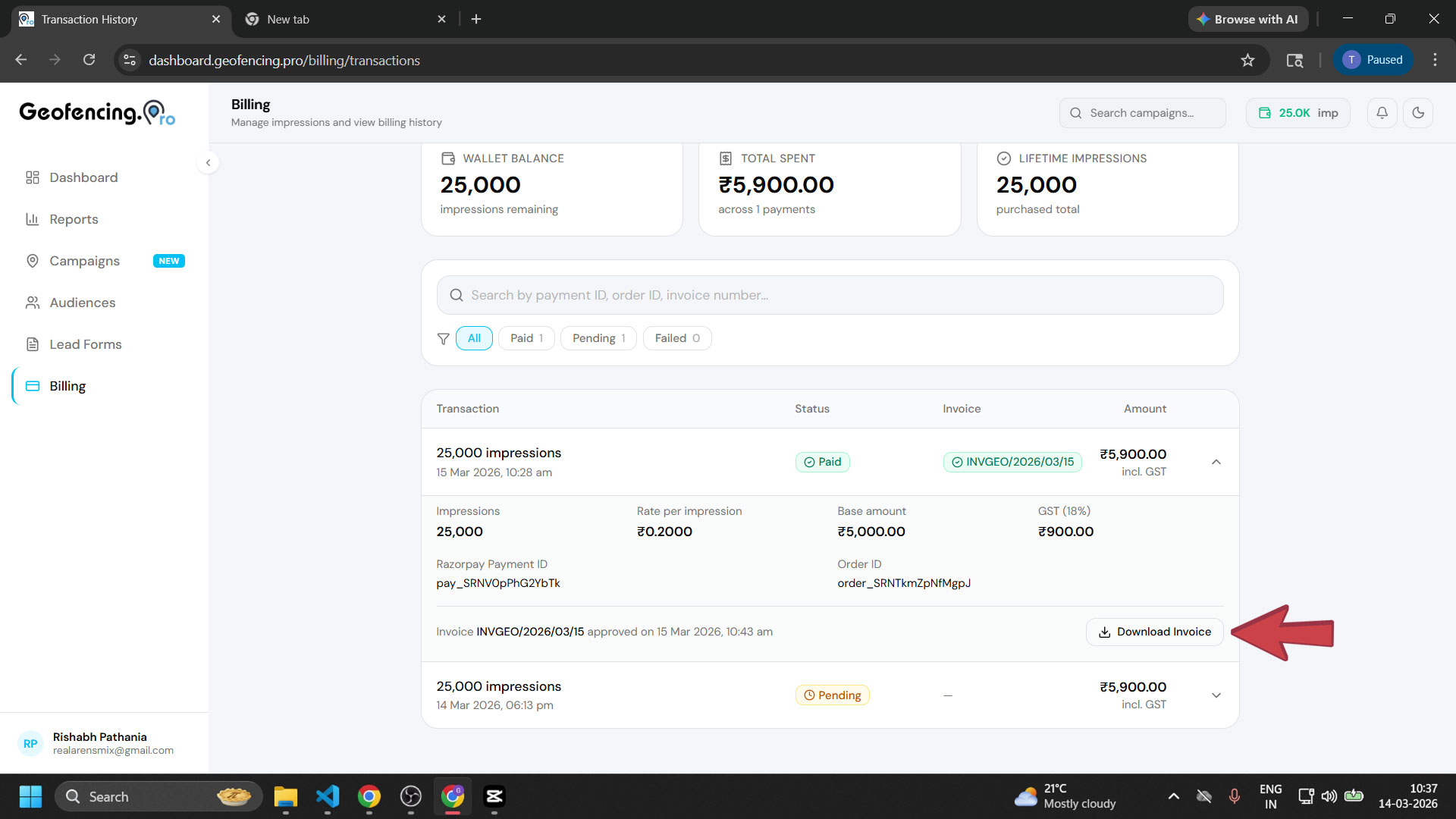
Download your invoice
Click Download Invoice to download the GST invoice for that transaction.
Invoices are only available for paid transactions and become downloadable approximately 24 hours after the payment is completed.