
The minimum purchase is 25,000 impressions at ₹0.20 per impression (₹5,000 + 18% GST = ₹5,900 total).
1
Open the Billing section
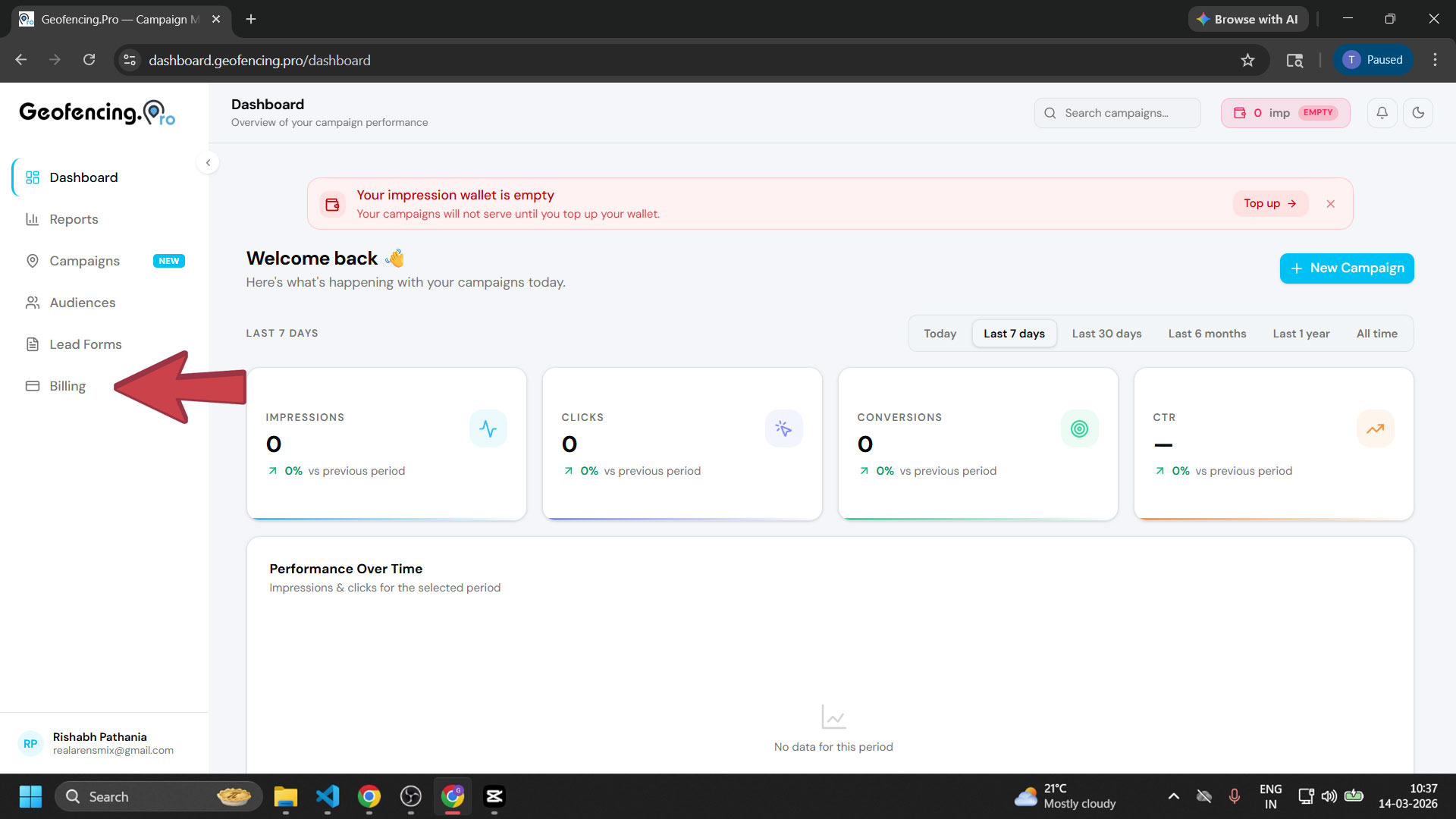
From your dashboard, click Billing in the left sidebar.
2
Enter the number of impressions
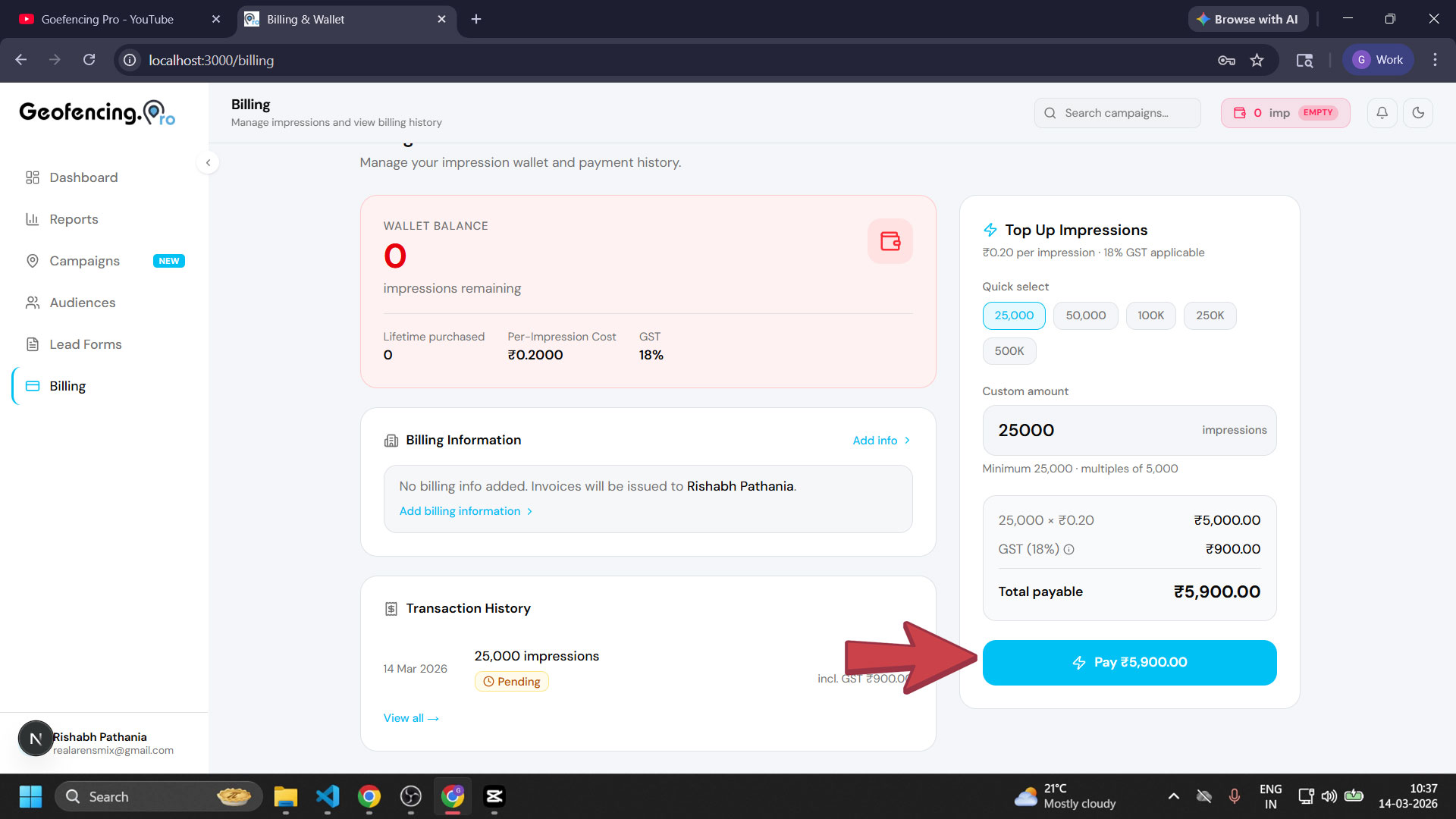
In the Custom Amount section, enter the number of impressions you want to purchase. The minimum purchase limit is 25,000 impressions.
- Cost per impression: ₹0.20
- 25,000 impressions = ₹5,000
- 18% GST = ₹900
- Total payable = ₹5,900
3
Click Pay
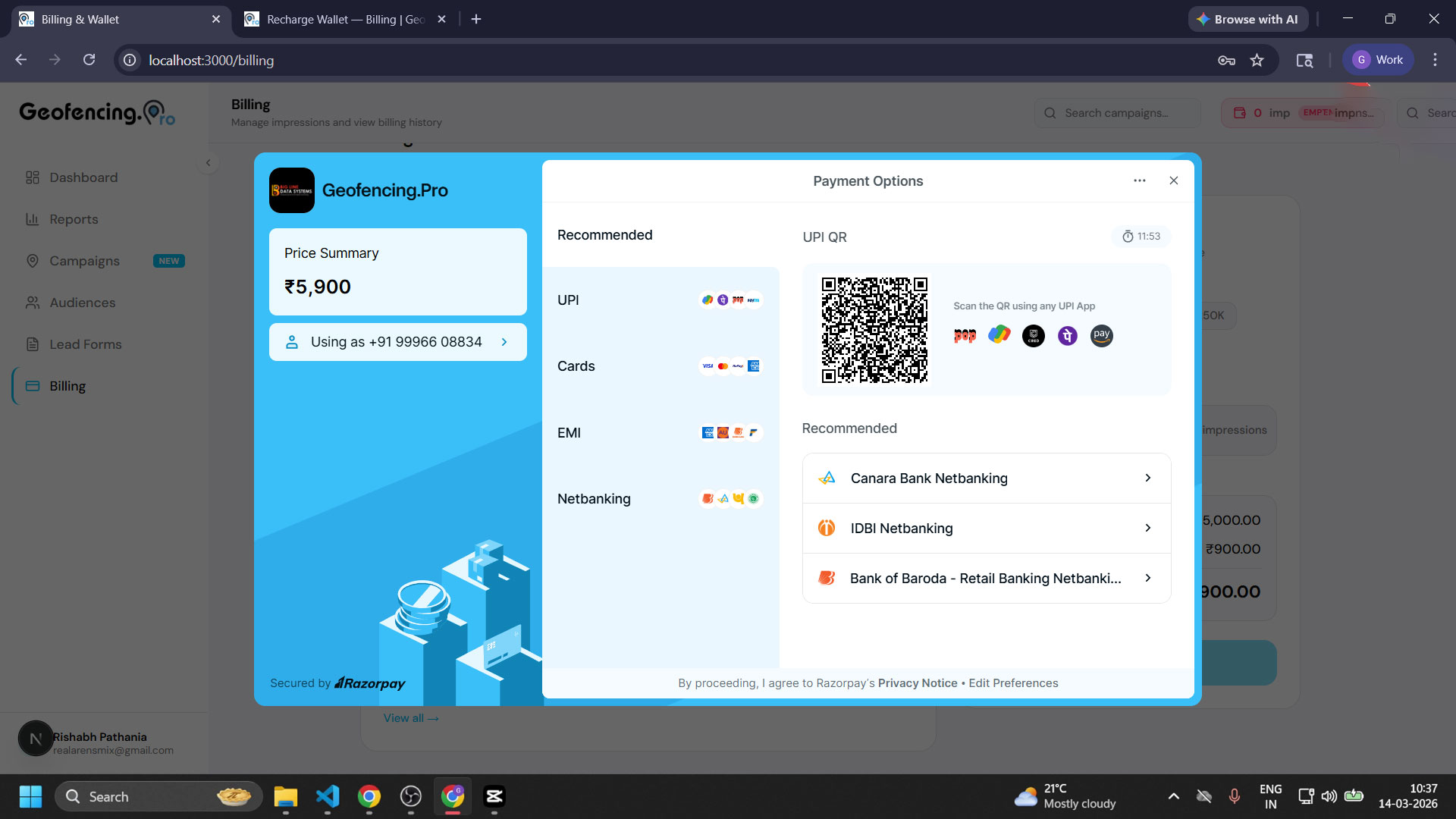
After entering the amount, click the “Pay” button. A Razorpay payment popup will appear.
4
Complete payment via Razorpay
In the Razorpay popup, choose your preferred payment method:
- Net Banking
- UPI
- Debit Card
- Credit Card
5
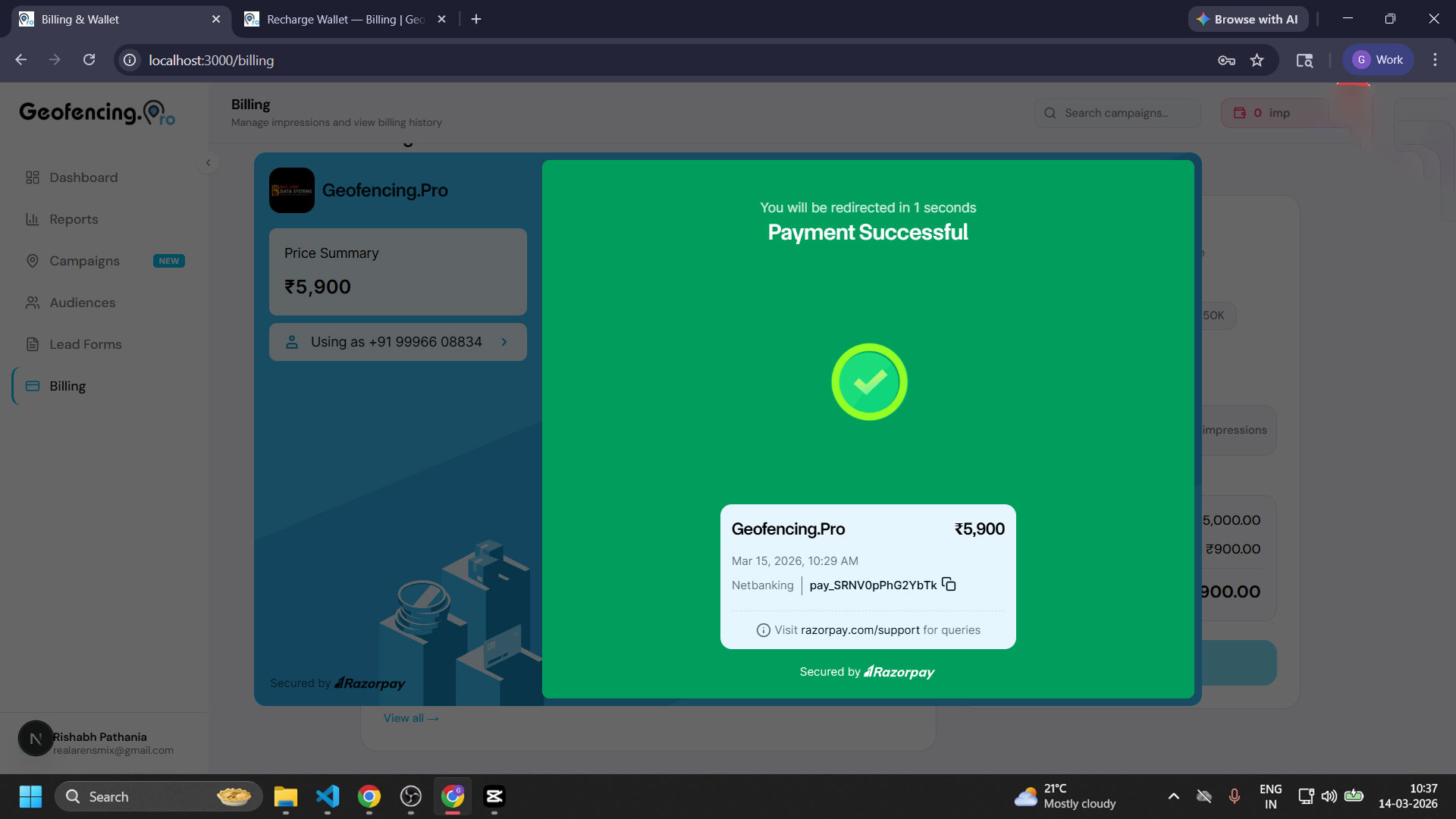
Impressions credited to your account
Once the payment is successful, the impressions will be automatically credited to your account. You can now submit your campaigns for review and start running them.
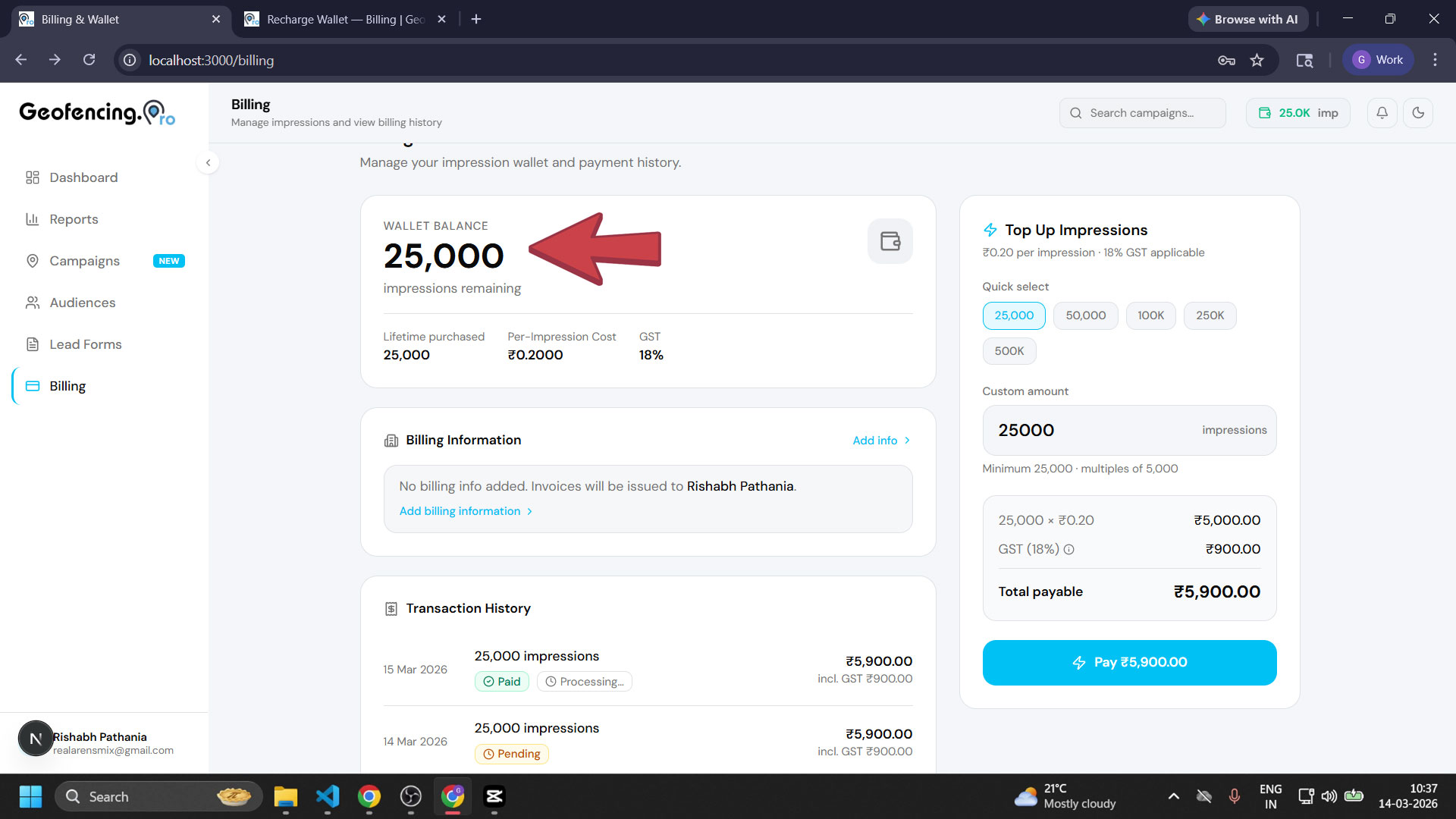
Your impressions have been added! Head to Campaigns to launch or resume your geofencing campaigns.